Game Mode is a new Windows 10 feature that Microsoft is introducing with Creators Update. The new Game Mode feature will provide better gaming experience by increasing overall and average framerate.
Additionally, Gaming now has its own section in system settings. The new Gaming section allows users to change different settings like Game Bar, Broadcasting, DVR and Game Mode. Once Game Mode is enabled, the system will prioritize the CPU and GPU resources to games for better performance.
How to enable Game Mode in Windows 10
- Go to System Settings.
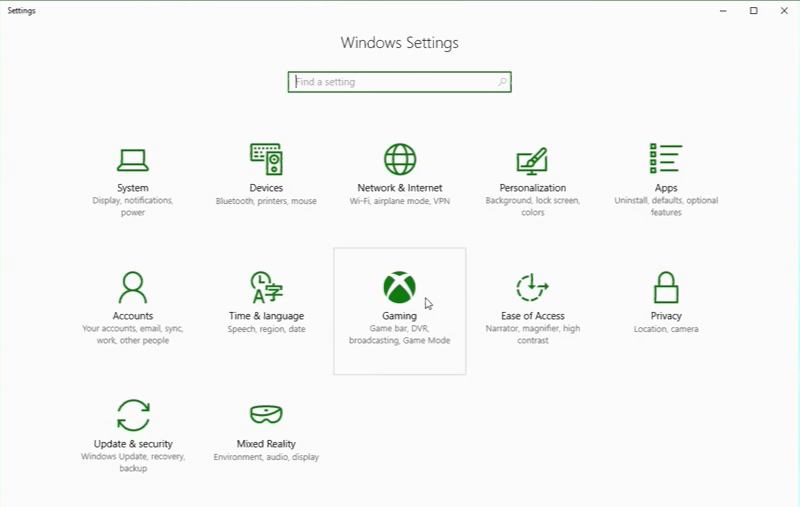
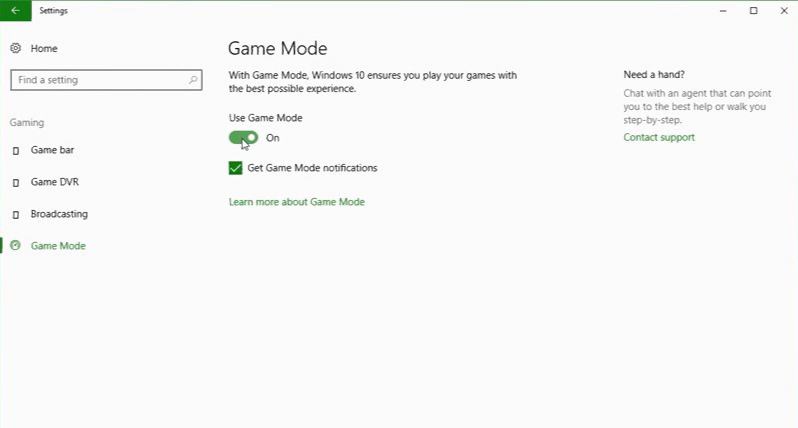
- Gaming> Game Mode now turn it On.
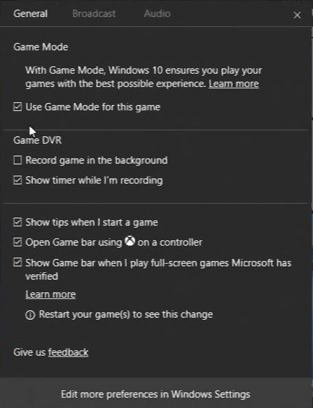
- Now while playing game press Windows + G, this will open Game Bar. Now select Settings.
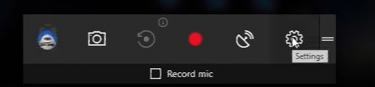
- Finally, select option ‘Use Game Mode for this game.’ The Game Mode is now enabled for your game.
Now you can enjoy better framerate and performance for your games. However, currently, not all games are supported yet. This new feature is currently available for Windows insiders with build 15019.