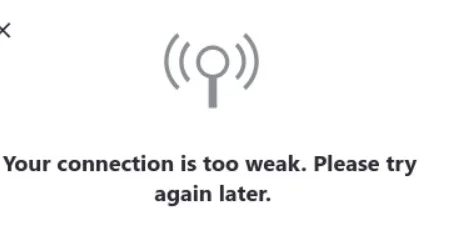
Experiencing a “Your Connection Is Too Weak” error on Skype can be frustrating, especially when you’re gearing up for an important video or audio call. This common issue can stem from various factors, ranging from network problems to software glitches. In this article, we delve into the causes and provide comprehensive solutions to ensure your Skype calls are smooth and uninterrupted.
Key Takeaway
- Understanding the Error: Why it occurs and its implications.
- Common Causes: Identifying potential triggers.
- Step-by-Step Solutions: Detailed fixes for various devices.
- Preventive Measures: Tips to avoid future issues.
Understanding the Error
Why is My Skype Connection Weak? Skype, a popular tool for real-time audio/video communication, often requires a stable and robust internet connection. A weak connection error typically indicates that your network doesn’t meet Skype’s bandwidth requirements, leading to poor VoIP quality of service (QoS).
Common Causes
Identifying Potential Triggers Several factors can contribute to this error:
- Network Bandwidth Limitations: Insufficient internet speed.
- Wi-Fi Signal Strength: Weak or unstable Wi-Fi signals.
- Device Performance Issues: Overloaded CPU or outdated hardware.
- Software Conflicts: Firewall or antivirus interference.
- Skype App Issues: Outdated or corrupt Skype application.
Step-by-Step Solutions
1. Restart Skype When Connection is Weak A simple restart can often resolve temporary glitches. Close Skype and reopen it to refresh the connection.
2. Check Internet Connection Speed Use online speed test tools to verify if your internet speed is adequate for Skype calls.
3. Optimize Wi-Fi and Mobile Data Switch between Wi-Fi and mobile data to find a more stable connection. Position yourself closer to the Wi-Fi router for a stronger signal.
4. Close Background Applications Shut down any unnecessary applications that might be consuming bandwidth.
5. Update or Reinstall Skype Ensure you’re using the latest version of Skype. If problems persist, try reinstalling the app.
6. Adjust Skype Settings In Skype’s settings, lower the video quality or adjust bandwidth usage to suit your connection.
7. Contact Your ISP If internet speed is consistently low, contact your internet service provider for assistance.
8. Report to Skype Support If none of the above solutions work, report the issue to Skype’s customer support for further guidance.
Preventive Measures: December 21, 2023
Avoiding Future Issues
- Regularly update your Skype app and device software.
- Monitor your internet speed and upgrade your plan if necessary.
- Use wired connections for more stability during important calls.
- Keep your device free from malware and unnecessary background applications.