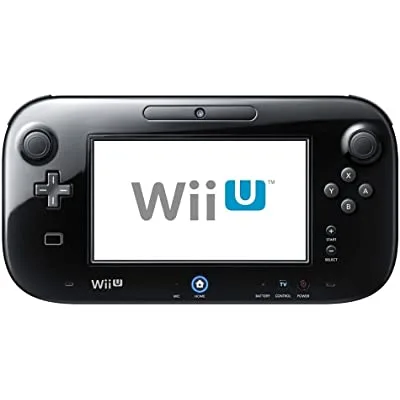
What is Wii U Error Code 160-0105?
If you encounter Wii U Error Code 160-0105 while attempting to launch or play a game on your Wii console, it is likely due to a storage problem caused by using an incompatible external storage device. This error arises when the console is connected to a storage device that lacks an independent power supply.
To assist you in resolving this issue, we have compiled a list of effective workarounds that can help you overcome this error.
Why does Wii U Error Code 160-0105 occur?
Nintendo’s official website advises users to utilize external hard drives equipped with an independent power supply to avoid encountering errors during game launches. Based on discussions in various forums and threads, it is evident that the absence of an independent power supply for an external hard disk is a common cause for the occurrence of this error.
How to fix Wii U Error Code 160-0105
Solution 1: Switch to an External Hard Drive with an Independent Power Supply
To address Wii U Error Code 160-0105, it is recommended to connect an external hard drive with its own independent power supply. By doing so, you can eliminate the possibility of encountering this error when launching games from external storage devices.
Solution 2: Try Connecting to a Different USB Port
If you already have an external hard drive with an independent power supply and suspect that it is not the cause of the error, attempting to connect the drive to a different USB port might resolve the issue. As suggested by user @RGV_RAGE, changing the USB port has proven effective in some cases.
Solution 3: Use a Y-Cable
In certain instances, the error could be related to the cable being used to connect the devices. Using a Y-cable, as recommended by a user online, might help resolve any compatibility issues arising from the cable type.
It is important to perform trial and error with different combinations of cables before considering the purchase or upgrade of more expensive hardware to ensure compatibility.
Frequently Asked Questions (FAQs)
Q: What causes Wii U Error Code 160-0105? A: This error is typically caused by using an external storage device without an independent power supply, which leads to a storage issue on the Wii console.
Q: How can I resolve Wii U Error Code 160-0105? A: There are several solutions you can try:
- Switch to an external hard drive with an independent power supply.
- Connect the external hard drive to a different USB port.
- Use a Y-cable to address any compatibility issues with the current cable.
Remember to test different combinations and troubleshoot before considering expensive hardware upgrades.
Conclusion
In conclusion, Wii U Error Code 160-0105 is a result of connecting an incompatible external storage device without an independent power supply. By following the provided workarounds, such as switching to an external hard drive with its own power supply, trying different USB ports, or using a Y-cable, you can overcome this error and enjoy uninterrupted gameplay on your Wii console. Ensure that you test various solutions before resorting to costly hardware changes, thereby ensuring compatibility without unnecessary expenses.