A new World War 3 update patch notes are released for players. Since the last major update, players have been experiencing multiple issues and bugs Hopefully, today’s World War 3 update will address some of these issues and bugs.
Read what is new and fixed in today’s World War 3 patch. Read the official patch notes below.
World War 3 Patch Notes – October 11, 2022
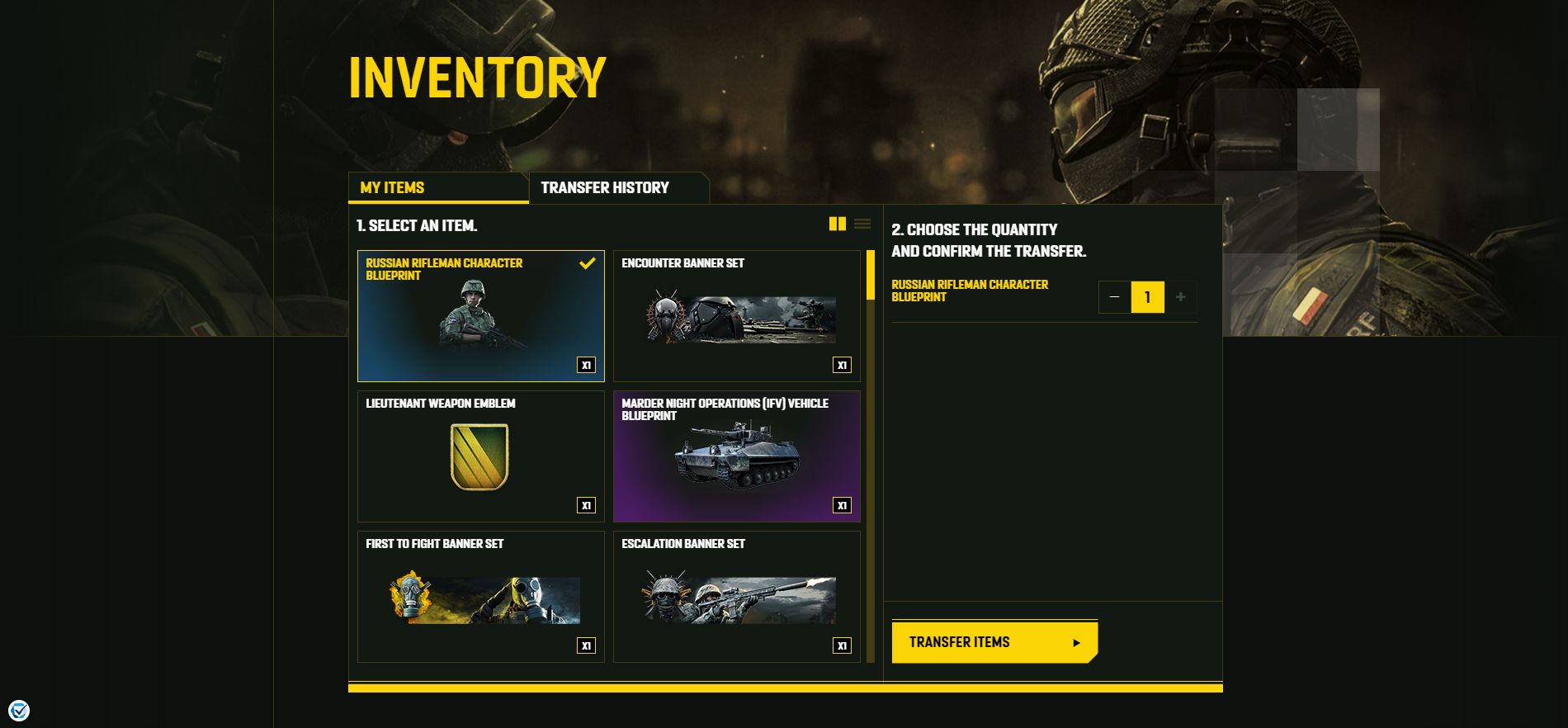
HOW TO TRANSFER ITEMS
- Sign in to the World War 3 website using the account associated with World War 3.
- Go to your Inventory.
- Select the item(s) you wish to transfer, and verify that your details are correct.
- Confirm by clicking ‘TRANSFER’.
- You will receive any transferred items automatically in your in-game inventory (allow some time for your items to appear once sent).
- Enjoy your items! If you’re having trouble receiving them, please contact our customer support team.
IMPORTANT: The transfer process cannot be reversed. Ensure that your details are correct before confirming the transfer.
WHAT CAN I TRANSFER?
- Pack contents (including Starter Packs and Closed Beta Packs)
- UNC
- Twitch Drops
- Newsletter rewards
- Items from promotions, competitions, and special events
ABOUT BLUEPRINTS
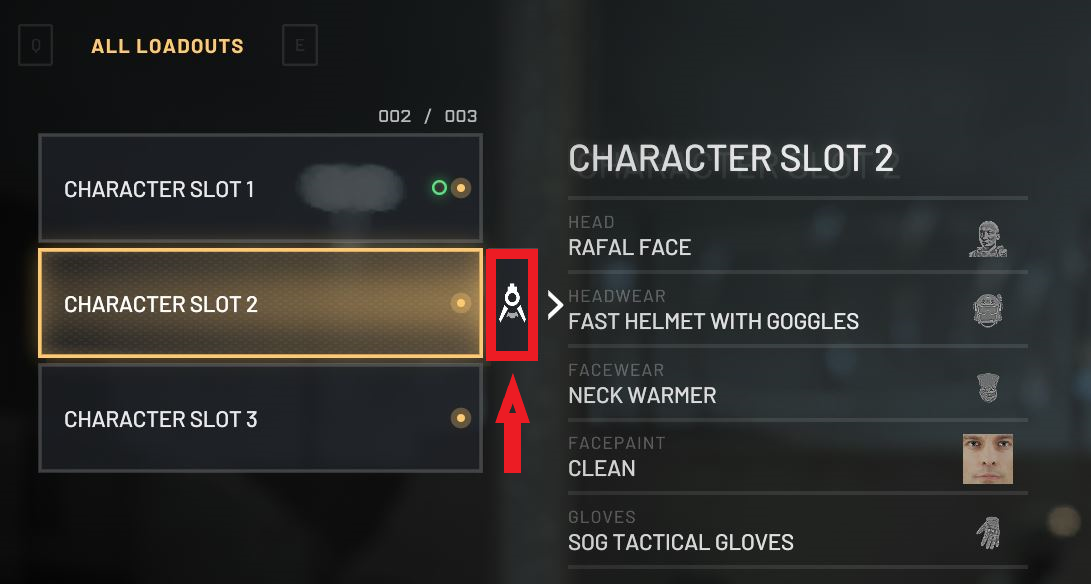
Many of the items you receive in your Inventory are Blueprints. These can be accessed in-game by going to your Character Slots, hovering over a Slot, and customizing it by clicking the icon indicated in the image below.